
PDS Mobile App2.0 - Get APK
You'll be able to download in few seconds.
Publisher Description
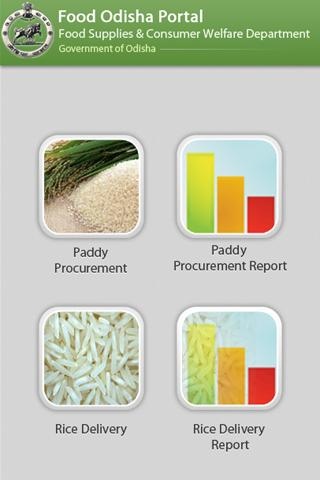
Food, Supplies and Consumer Welfare Department in Odisha looks after the Targeted Public Distribution System (TPDS) and procures paddy from the farmers at the minimum support price on the basis of fair average quality norms.
The Department needs to track paddy procurement/movement and Rice movement at grass root level. The current problem in paddy procurement/movement & Rice movement is the huge time gaps observed in getting the information regarding procurement & movement of paddy and its movement from the Rice Mills to RRC and from RRC to FPSs.Thus, mGov application was initiated and implemented to track the information of paddy procurement status between the various market yard/societies and the farmer, rice delivery status between various millers and RRC’s and the status on issue and receipt of rice in each RRC/depot.
Paddy Procurement (PP) Module:
The application start from the premises of societies (Primary Agricultural Coop. Societies-PACS, Self-Help Groups-SHG and Pani Panchayat-PP) or Market Yards where paddy is procured from the farmers and is delivered to the Rice Mills through a document called Paddy Acceptance Note (AC Note) which is signed jointly by the Rice Miller and Secretary of Society/Purchase Officer (PO) of the Agency at the Market Yard.
Rice Delivery Module:
This module begins after the custom milled rice (CMR) is set ready for delivery to the RRCs, base RRc’s,FCI depot etc. This module initiates monitoring delivery of CMR to various RRCs & FCI depots on a daily basis based upon the acceptance notes. This also helps to track the performance of each miller.
About PDS Mobile App
The company that develops PDS Mobile App is mGovernance. The latest version released by its developer is 2.0.
To install PDS Mobile App on your Android device, just click the green Continue To App button above to start the installation process. The app is listed on our website since 2017-12-05 and was downloaded 0 times. We have already checked if the download link is safe, however for your own protection we recommend that you scan the downloaded app with your antivirus. Your antivirus may detect the PDS Mobile App as malware as malware if the download link to com.csm.pds is broken.
How to install PDS Mobile App on your Android device:
- Click on the Continue To App button on our website. This will redirect you to Google Play.
- Once the PDS Mobile App is shown in the Google Play listing of your Android device, you can start its download and installation. Tap on the Install button located below the search bar and to the right of the app icon.
- A pop-up window with the permissions required by PDS Mobile App will be shown. Click on Accept to continue the process.
- PDS Mobile App will be downloaded onto your device, displaying a progress. Once the download completes, the installation will start and you'll get a notification after the installation is finished.
Program Details
System requirements
Download information
Pricing
Version History
version 2.0
posted on 2017-12-05
Enhancement
version 1.8
posted on 2016-12-20
Change SMS format of Paddy procurement for Levy Account.
Disclaimer
External Download
We do not host PDS Mobile App on our servers. We did not scan it for viruses, adware, spyware or other type of malware. This app is hosted by Galad and passed their terms and conditions to be listed there. We recommend caution when installing it.
The APK Download link for PDS Mobile App is provided to you by apps112.com without any warranties, representations or guarantees of any kind, so access it at your own risk.
If you have questions regarding this particular app contact the publisher directly. For questions about the functionalities of apps112.com contact us.
